Get started with ChargingNear.me in Microsoft 365 Copilot
ChargingNear.me is one of the agents for Microsoft Copilot. Add it once, then ask Copilot about public electric vehicle (EV) charging stations anywhere in the United States. It is free, needs no sign-in and reads public data only.
Add the agent
- Open Copilot in Microsoft Teams, at m365.cloud.microsoft or in the Microsoft 365 Copilot app.
- Select Get agents (or All agents, then Get agents) to open the Agent Store.
- Search for ChargingNear.me, select it, then select Add.
- Open ChargingNear.me from the agents list, or type @ChargingNear.me in a Copilot chat, and ask a question.
If your organization manages which agents people can add, an admin can allow ChargingNear.me in the Microsoft 365 admin center, under Agents or Settings → Integrated apps.
Try these five questions
The answers come from the ChargingNear.me station directory, updated every day from U.S. Department of Energy data and other open sources.
-
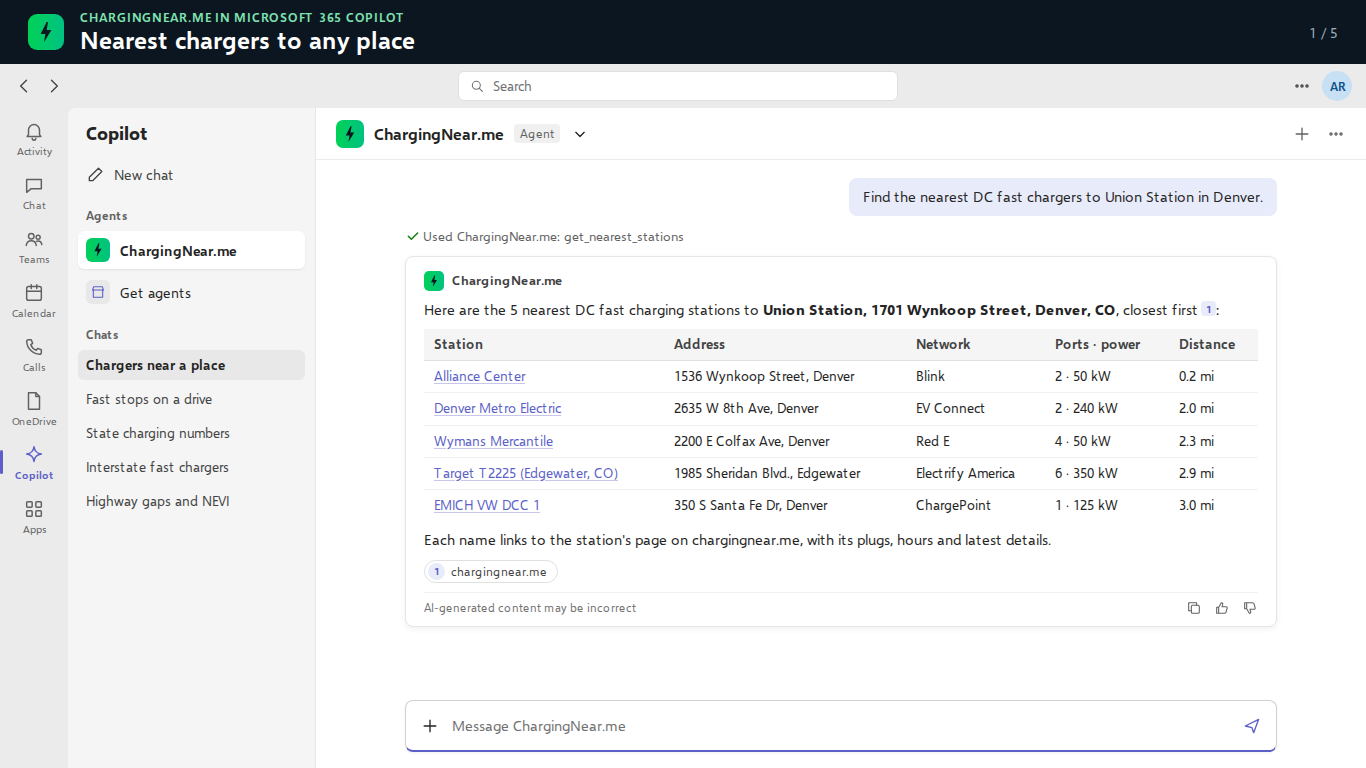
Nearest chargers to any place
“Find the nearest DC fast chargers to Union Station in Denver.”
-
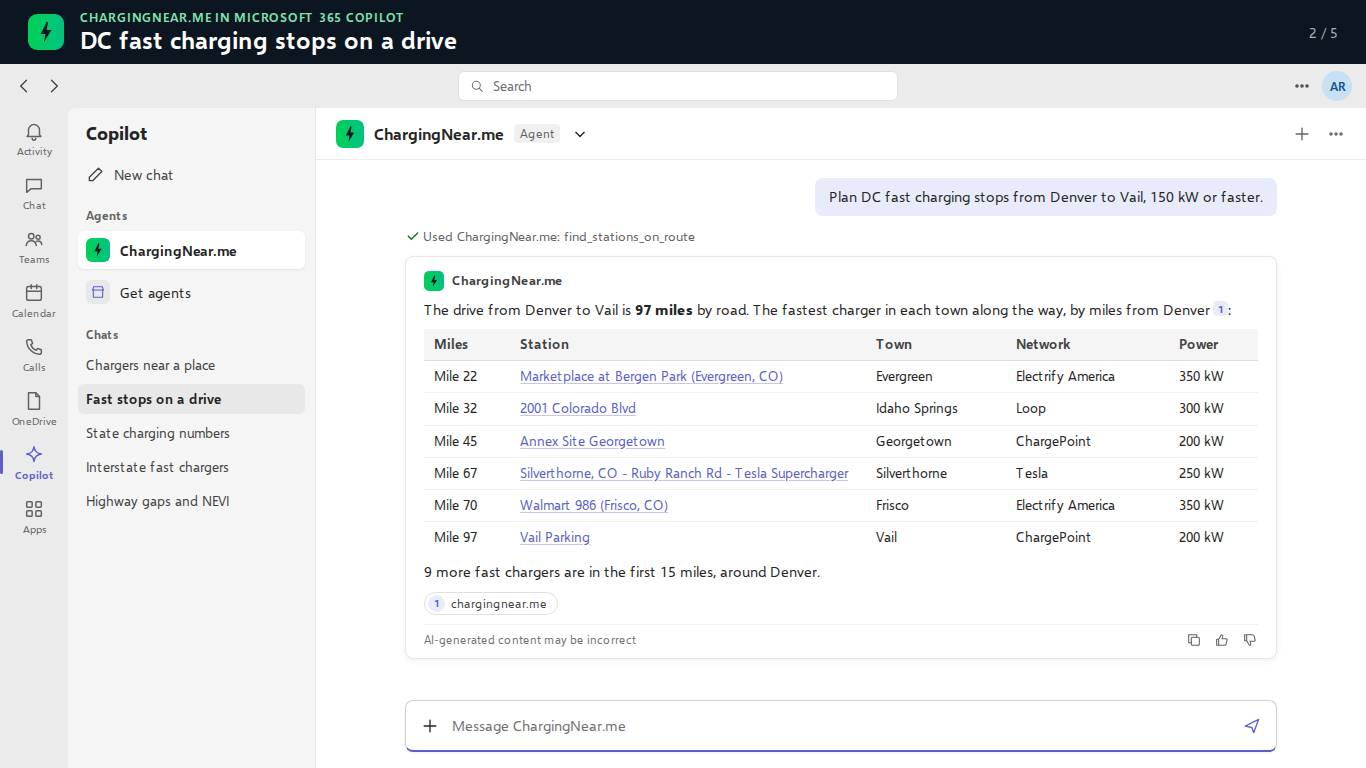
DC fast charging stops on a drive
“Plan DC fast charging stops from Denver to Vail, 150 kW or faster.”
-
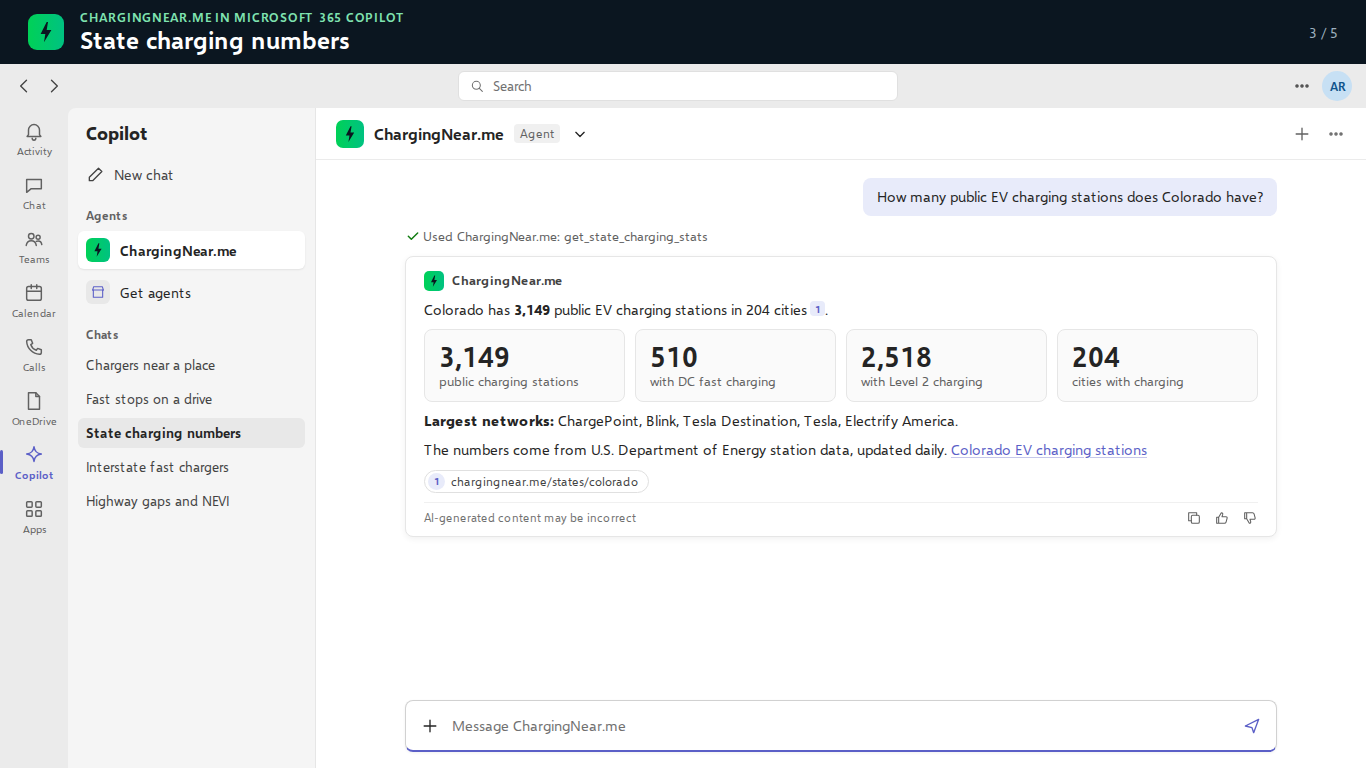
State charging numbers
“How many public EV charging stations does Colorado have?”
-
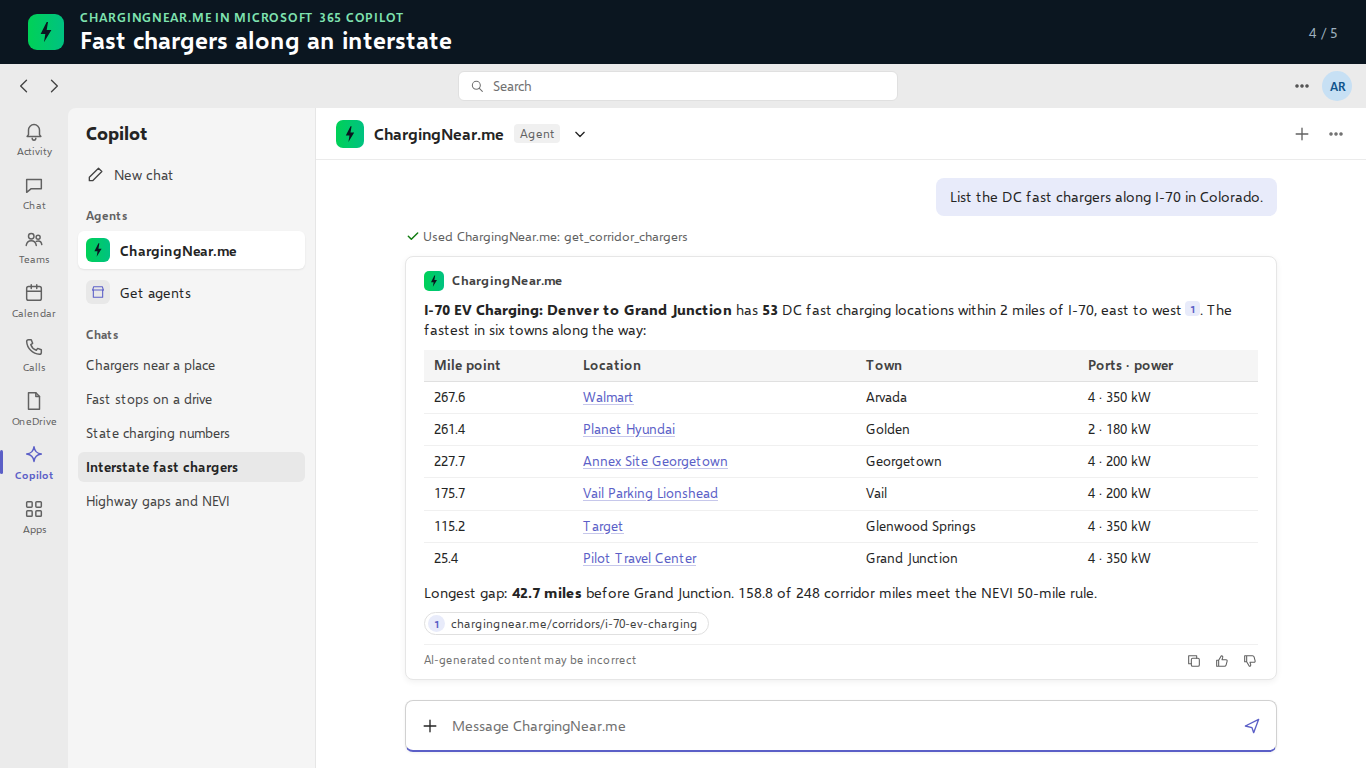
Fast chargers along an interstate
“List the DC fast chargers along I-70 in Colorado.”
-
Highway charging gaps and NEVI status
“Where are the fast-charging gaps on Colorado highways, and how many stations meet NEVI?”
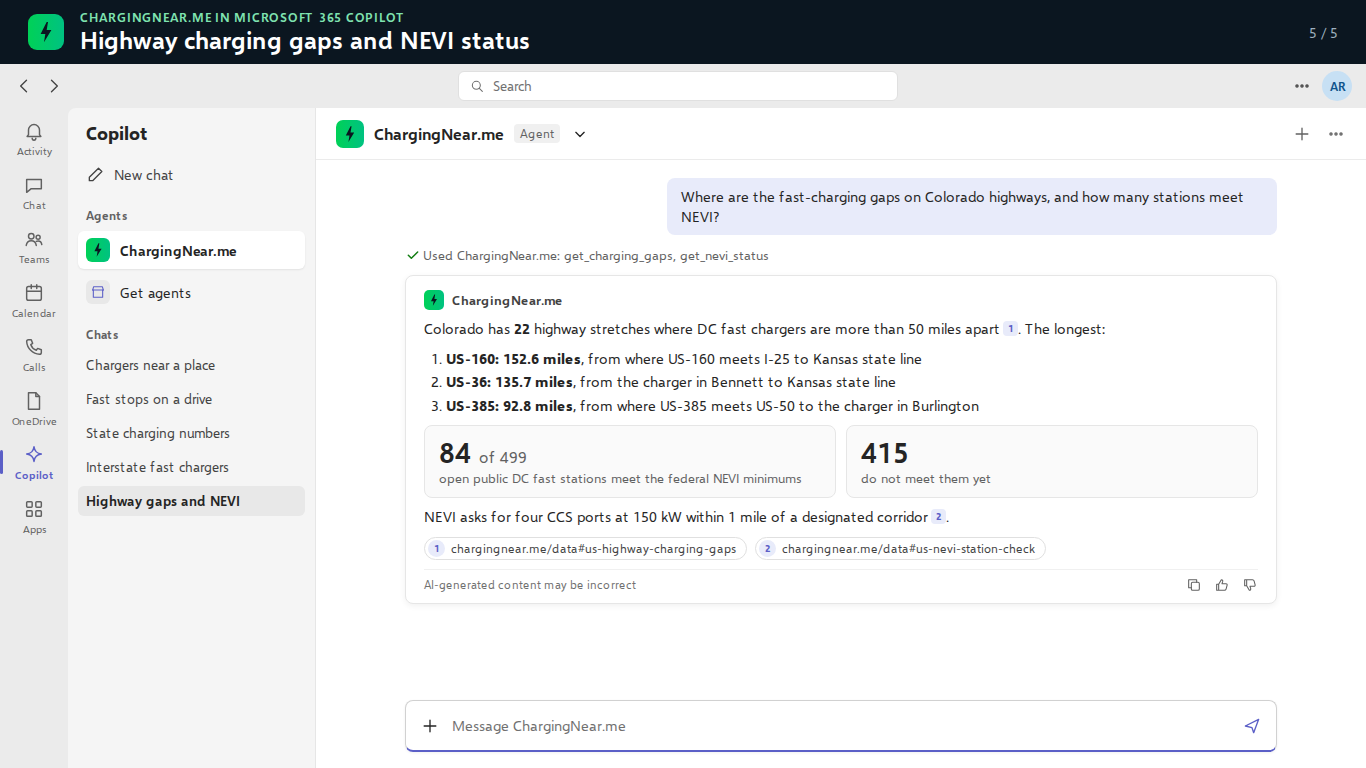
53 seconds, captions in the picture, no narration. Open the MP4.
What the agent can and cannot do
It can:
- Find the closest public charging stations to a city, address, landmark or business, filtered by charging speed, power, network or connector.
- Find DC fast and other chargers along a drive between named places, with each station’s miles from the start.
- Give one station’s details: address, network, ports, power, connectors and hours, with a link to its page on chargingnear.me.
- Give charging numbers for a city, a state or the whole country.
- Find highway stretches over 50 miles with no fast charger within 5 miles of the highway (straight-line), list the fast chargers along Colorado’s highway corridors, and give the federal NEVI status of stations and highways.
It cannot reserve or start a charge, take payments, change anything on chargingnear.me or give turn-by-turn directions. It covers the United States only. Availability and prices are shown only when a station’s data has them, with the time they were read.
Privacy
The agent needs no sign-in, and we never see your conversation with Copilot. For each lookup, Copilot sends us only what it needs, such as a place name, a route or a station, and we use it only to answer. Details are in the privacy policy and the terms of use.
Help and contact
- Help and FAQ
- Contact us, or email api@chargingnear.me
- Sign up for chargingnear.me (free, optional; the agent does not need it)
- Search chargers on chargingnear.me